Table of Contents
D-Link DAP-1350
Supported Versions
Hardware Highlights
Installation
The build script is currently run on trunk so official binary is available. Install openwrt-15.05.1-ramips-rt305x-dap-1350WW-squashfs-factory.bin if you have worldwide version DAP-1350 or openwrt-15.05.1-ramips-rt305x-dap-1350-squashfs-factory.bin for Chinese version using default router administrative interface.
Build from trunk or 'attitude_adjustment' or 'chaos_calmer' branch. For more information about building see the build documentation.
svn co svn://svn.openwrt.org/openwrt/trunk/
# Build configuration. From 'make menuconfig'; Target system: Ralink RT288x/RT3xxx, Subtarget: RT305x based boards
echo CONFIG_TARGET_ramips=y >.config
echo CONFIG_TARGET_ramips_rt305x=y >>.config
echo CONFIG_TARGET_ramips_rt305x_Default=y >>.config
make
When the build process is done (yes, this could take several hours), flash the appropriate generated (openwrt-*-squashfs-factory.bin) file from web interface or from recovery mode (turn off; hold reset; turn on; go to http://dlinkap or http://192.168.0.50). Use the file matching your router model (IE: openwrt-ramips-rt305x-dap-1350WW-squashfs-factory.bin for DAP-1350)
Upgrading OpenWrt
If you have already installed a version of openwrt and you wish to upgrade your installation
- uploaded the new firmware from the LAN with 'scp openwrt-*-squashfs-sysupgrade.bin root@192.168.1.1:/tmp/'.
- flash it on the router with 'sysupgrade /tmp/openwrt-*-squashfs-sysupgrade.bin'.

Hardware
Info
| Architecture | MIPS |
|---|---|
| Status | trunk (>R33411) |
| Vendor | Ralink |
| bootloader | U-Boot |
| System-On-Chip | RT3052 WiSoC |
| CPU/Speed | MIPS24KEc@384 Mhz w/ 16KB I cache/16KB D cache |
| Flash-Chip | Macronix MX29LV640EBTI-70G |
| Flash size | 8192 KiB |
| RAM-chip | ESMT M12L128168A-7T x 2 |
| RAM size | 32 MiB |
| Wireless | Ralink RT3052F 2.4ghz 802.11bgn |
| Ethernet | integrated 1 x10/100E w/ vlan support swconfig |
| Internet | no |
| USB | yes |
| Power | external 5V 2.5A |
| Serial | Yes |
Serial
Internal Pictures

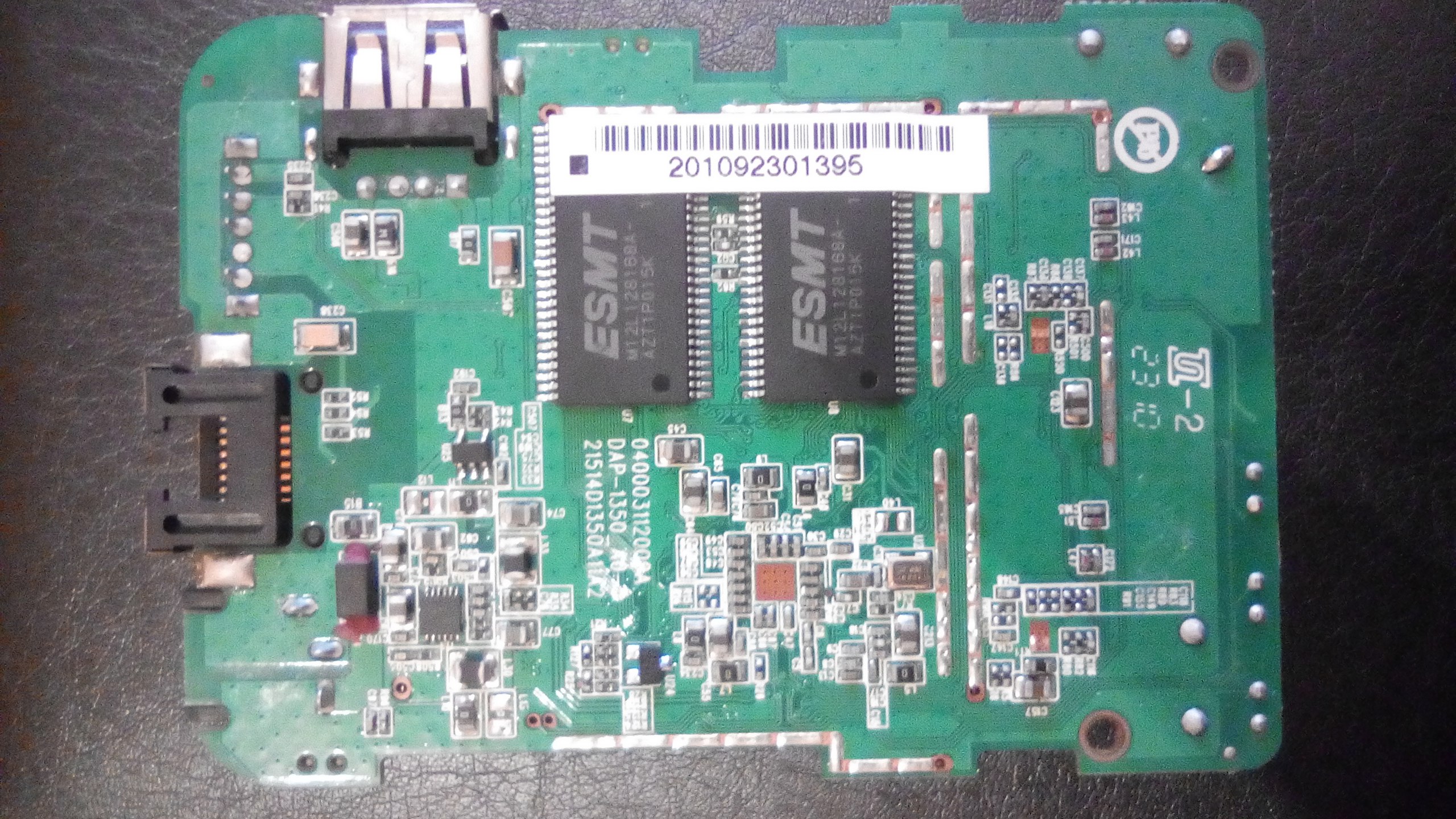
Basic configuration
→ Basic configuration After flashing, proceed with this.
Set up your Internet connection, configure wireless etc.
Device specific configuration
Wireless LED
On a basic installation the wireless LED does not blink if data is transmitted and/or received. To fix this simply append this block to /etc/config/system:
option 'led' 'wlan_led'
	option 'name'		'WLAN'
	option 'sysfs'		'rt2800pci-phy0::radio'
	option 'trigger'	'netdev'
	option 'dev'		'wlan0'
	option 'mode'		'link tx rx'
More detailed information about LEDs can be found here.
Failsafe mode
If you forgot your password, broke one of the startup scripts, firewalled yourself out, or corrupted the JFFS2 partition, you can get back in by using OpenWrt's failsafe mode.
Boot into failsafe mode
- Unplug the router's power cord.
- Connect the router's LAN1 port directly to your PC.
- Configure your PC with a static IP address between 192.168.1.2 and 192.168.1.254. Eg. 192.168.1.2 (gateway and DNS is not required).
- Plug the power on and wait for the DMZ LED to light up.
- While the DMZ LED is on immediately press any button (Reset and Secure Easy Setup will work) a few times .
- If done right the DMZ LED will quickly flash 3 times every second.
- You should be able to telnet to the router at 192.168.1.1 now (no username and password)
What to do in failsafe mode?
NOTE: The root file system in failsafe mode is the SquashFS partition mounted in readonly mode. To switch to the normal writable root file system run mount_root and make any changes. Run mount_root now.
- Forgot/lost your password and you like to set a new one
passwd - Forgot the routers IP address
uci get network.lan.ipaddr - You accidentally run 'ipkg upgrade' or filled up the flash by installing large packages (clean the JFFS2 partition and start over)
mtd -r erase rootfs_data
If you are done with failsafe mode power cycle the router and boot in normal mode.
Other Info
Default Router Settings
Model DAP-1350
- IP : 192.168.0.50
- Username : “admin”
- Password : “” (leave field blank)
- Polarity : ⊖―כּ―⊕
- Input : 5V / 2.5A
- FCC ID : KA2AP1350A1
If all else fails
The DAP-1350 has a special D-Link firmware mode that runs a HTTP server on 192.168.0.50 for uploading new firmware. If you get locked out and/or brick your device, you can get into this mode by holding down the reset button for 30-45 seconds while booting the device. Note that the IP of the server it runs is 192.168.*0*.50.